Projects / AILaunch
🚀
AILaunch
AILaunch lists the AI CLI tools you actually have installed and launches the one you pick — right when you open a terminal on macOS.
Overview
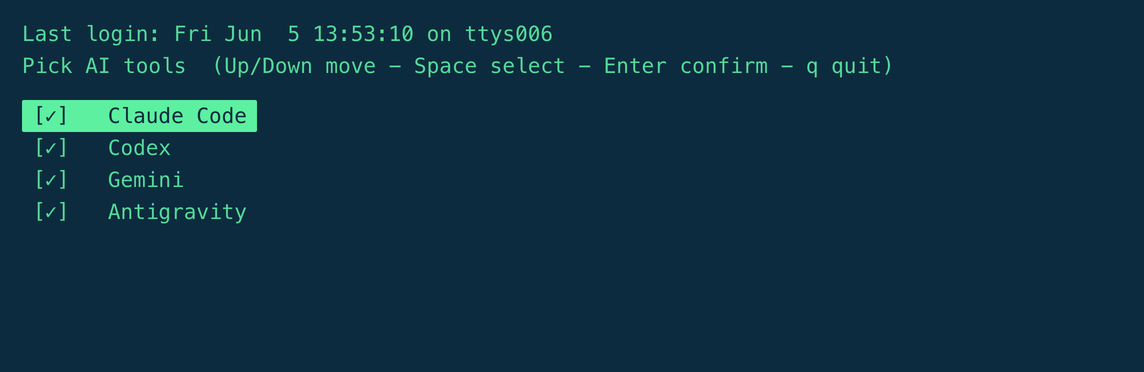
Works with any AI CLI — Claude Code, Codex, Gemini, Aider, Ollama, and whatever else you add. It auto-detects which tools are installed, shows a zero-dependency shell menu (arrow keys to move, space to multi-select, enter to confirm), and launches your choice. One tool installed launches straight away; multi-select opens each pick in its own terminal. Fully configurable via tools.conf.
curl -fsSL https://raw.githubusercontent.com/pubwave/ailaunch/main/install.sh | bash Screenshots
Features
- 🔍 Auto-detectLists only the AI tools actually installed on your machine.
- ⌨️ Zero-dependency menuPure shell: arrow keys to move, space to multi-select, enter to confirm.
- 🪟 Multi-selectPick several tools; each opens in its own terminal window or tab.
- 🚀 Single-tool launchNo menu when only one tool is installed — it launches directly.
- 🔔 Optional auto-popupShow the menu on every terminal open, or just run ail when you want it.
- 🧹 Clean uninstallMarker-fenced edits — removes only what it added to your zshrc.